Safe Creation
Already have a Safe account that's not displayed in Ash Wallet? You can import it into Ash Wallet (see Import existing Safe).
To create a new Safe, navigate to Ash Wallet and click on the Create Account button.
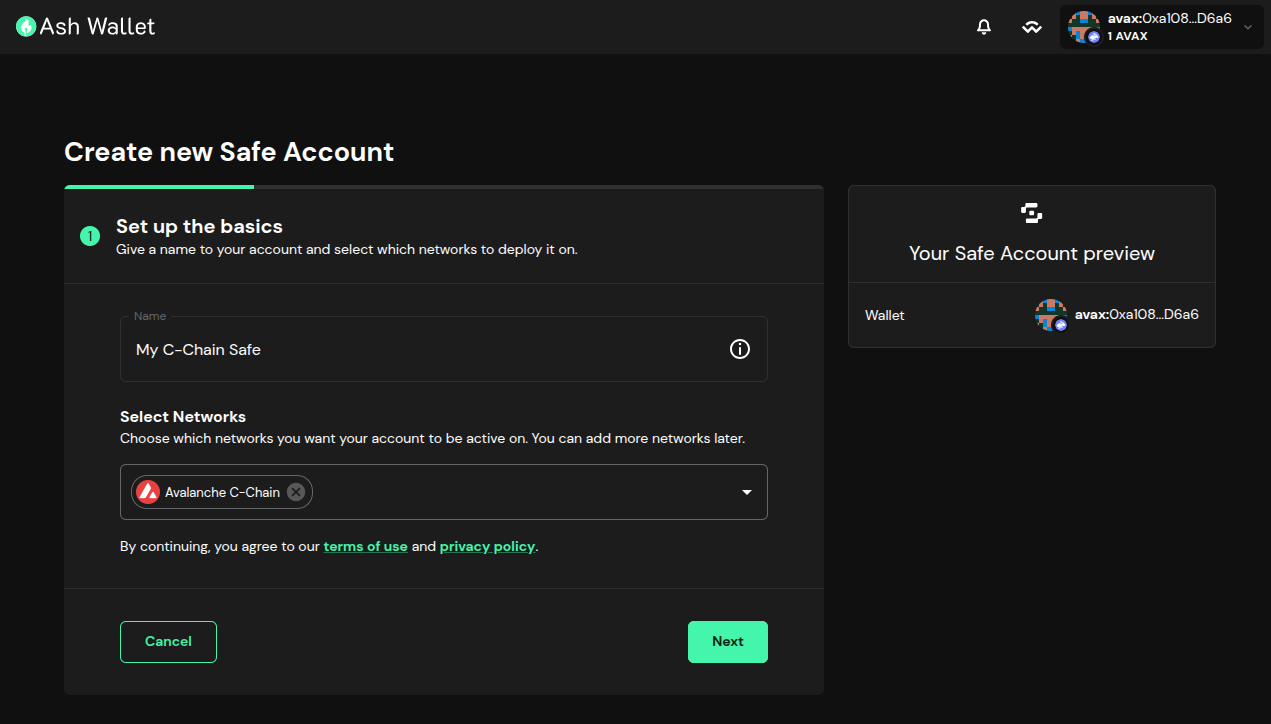
You can name the Safe account and choose on which L1(s) it will be created. In this case we are naming "My C-Chain Safe" and creating it on the Avalanche C-Chain:
In the next screen, we can choose the number of signers, their addresses, and the threshold of signatures required to sign a transaction. In this case we are choosing 3 signers and a treshold of 2/3:
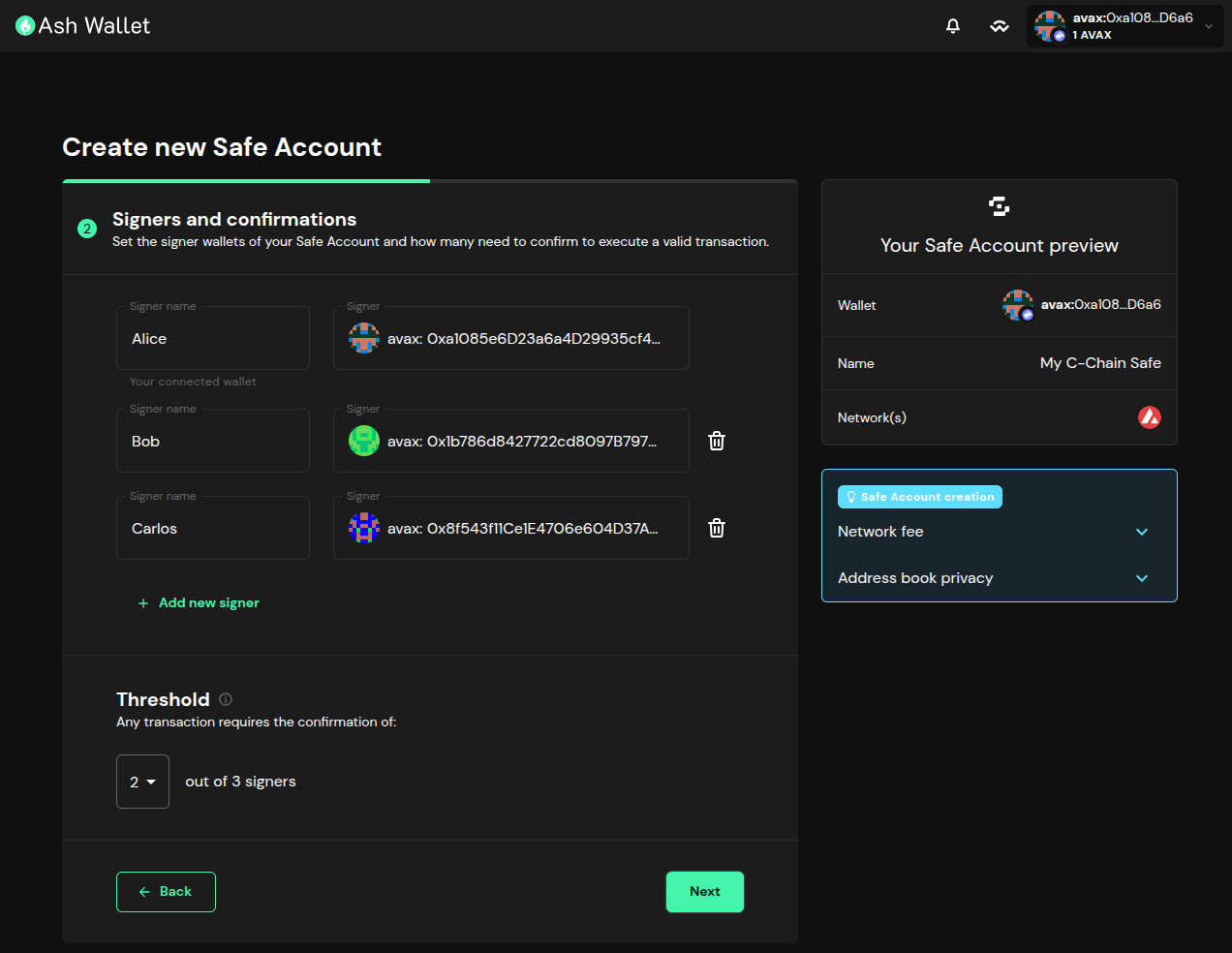
The threshold can be updated later after the Safe is created (see Manage signers).
The new Safe account can be created by paying a transaction fee or later with the first transaction. In this case we are paying the transaction fee:
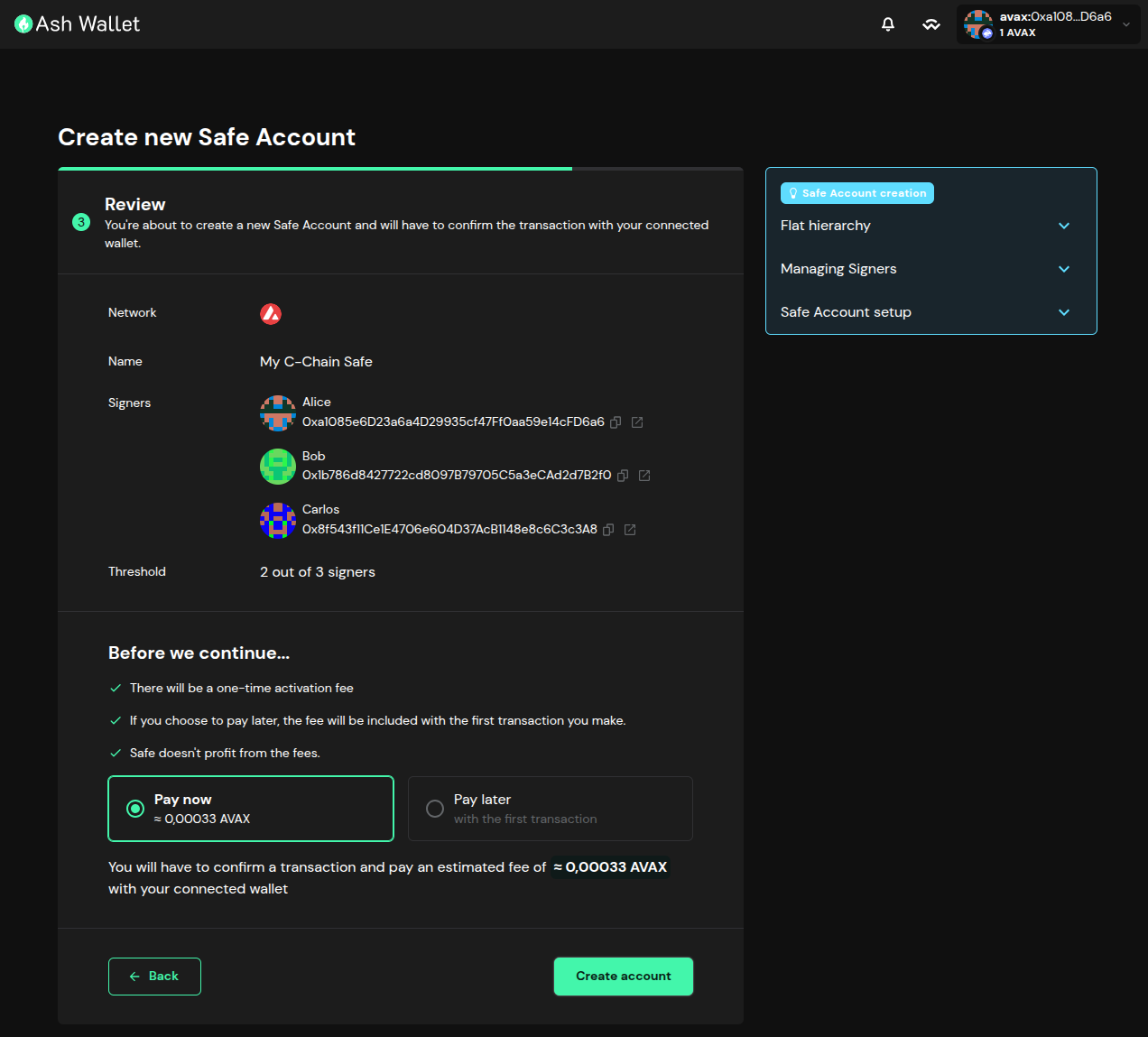
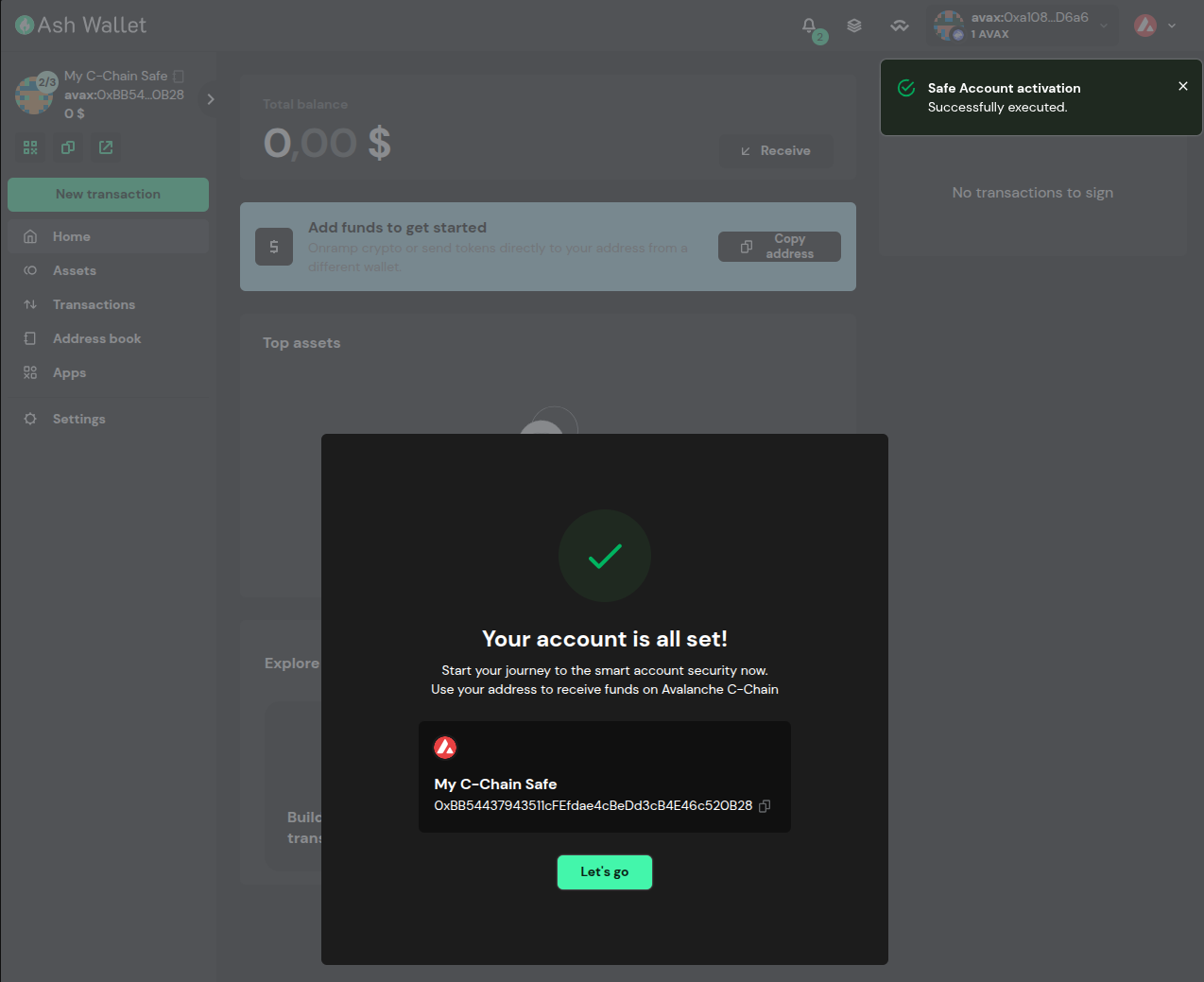
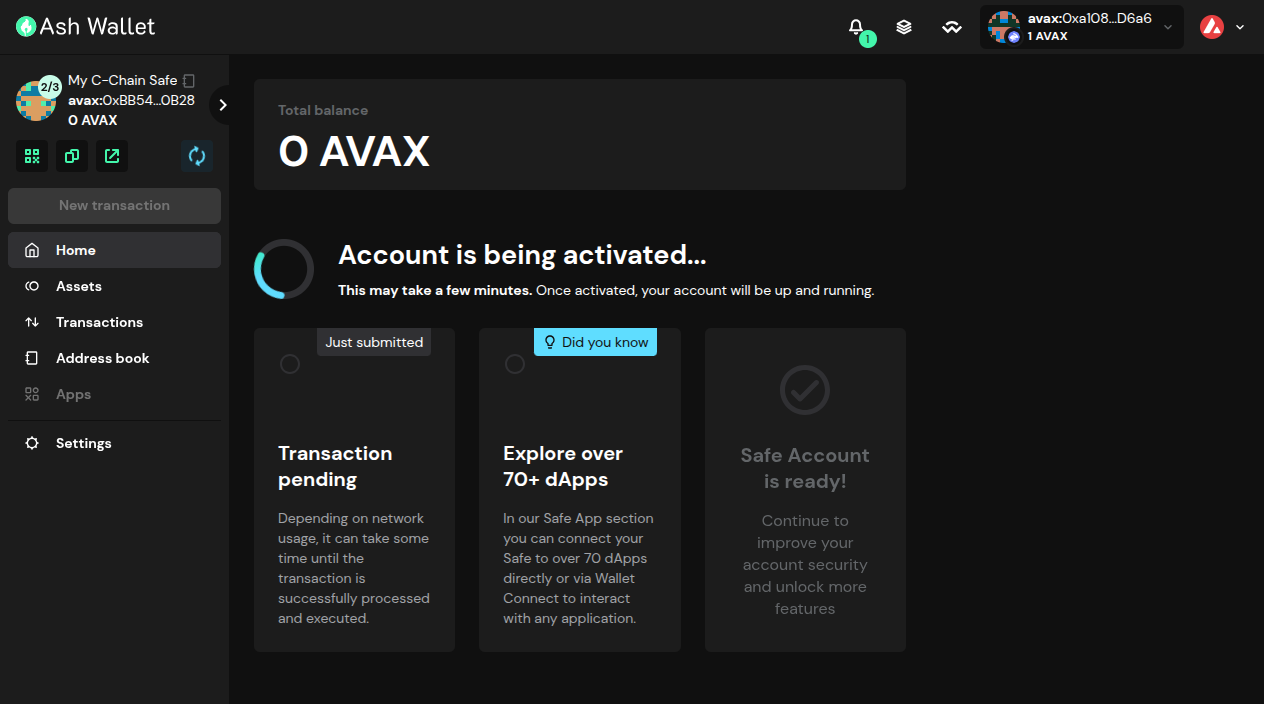
After pressing the Create account button, you will be redirected to the Safe account page. It will take a few seconds to be created and indexed:
Once you arrive at this page, you can see the Safe account details and start using it: